Tag: OSINT

Capture the Flag

Hack the Box Walkthrough: The Puppet Master

An image representing a generic puppet masterThis time, we’re going to be back in a Hack the Box challenge called The Puppet Master. Its description is “An anonymous source has shared a photograph of an unidentified military armored vehicle during field operations. Your mission is to conduct a comprehensive OSINT analysis to identify this vehicle and its specifications.”

The first thing you have to do is click “Start Instance” on the HTB page for this challenge. It will spin up a container and you’ll get an IP and Port to connect to. When you get there, you will get a website with these pages.

First, we come to the Dashboard page. This explains the Scenario, the Objective, and some information about OSINT Investigation as a whole.
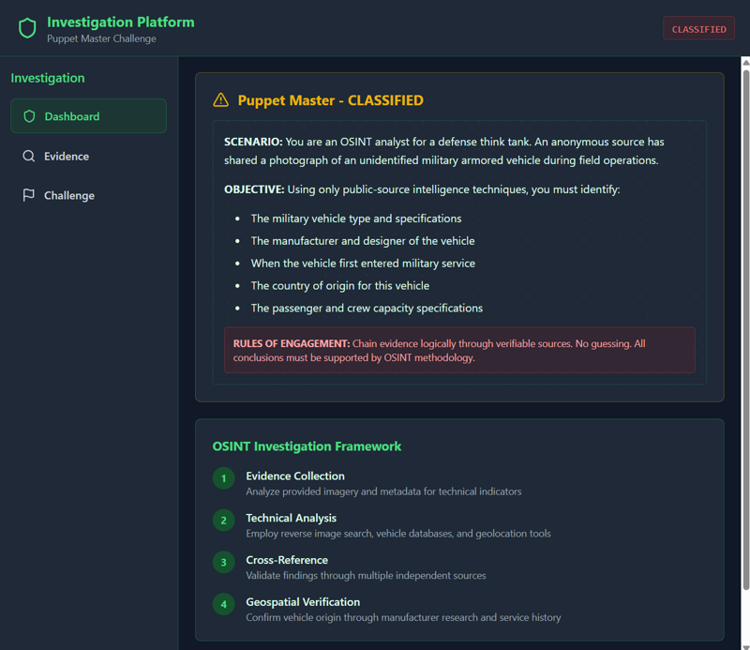
The Pupppet Master Dashboard Page

Next, we come to the Evidence page. This has the image for us to investigate and some initial observations about that image.
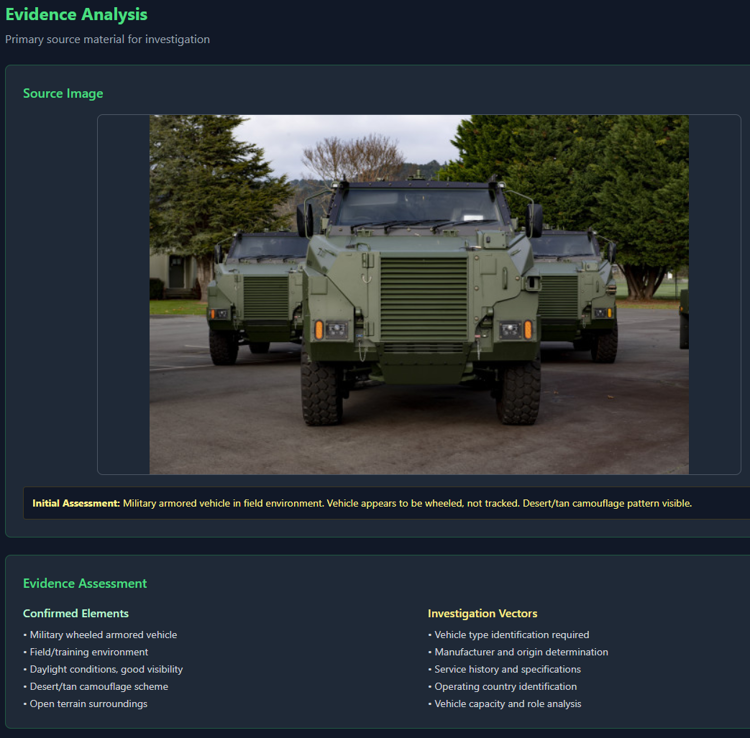
The Pupppet Master Evidence Page

Lastly, we have the Challenge page. This is the page with the list of questions that we will need to answer.
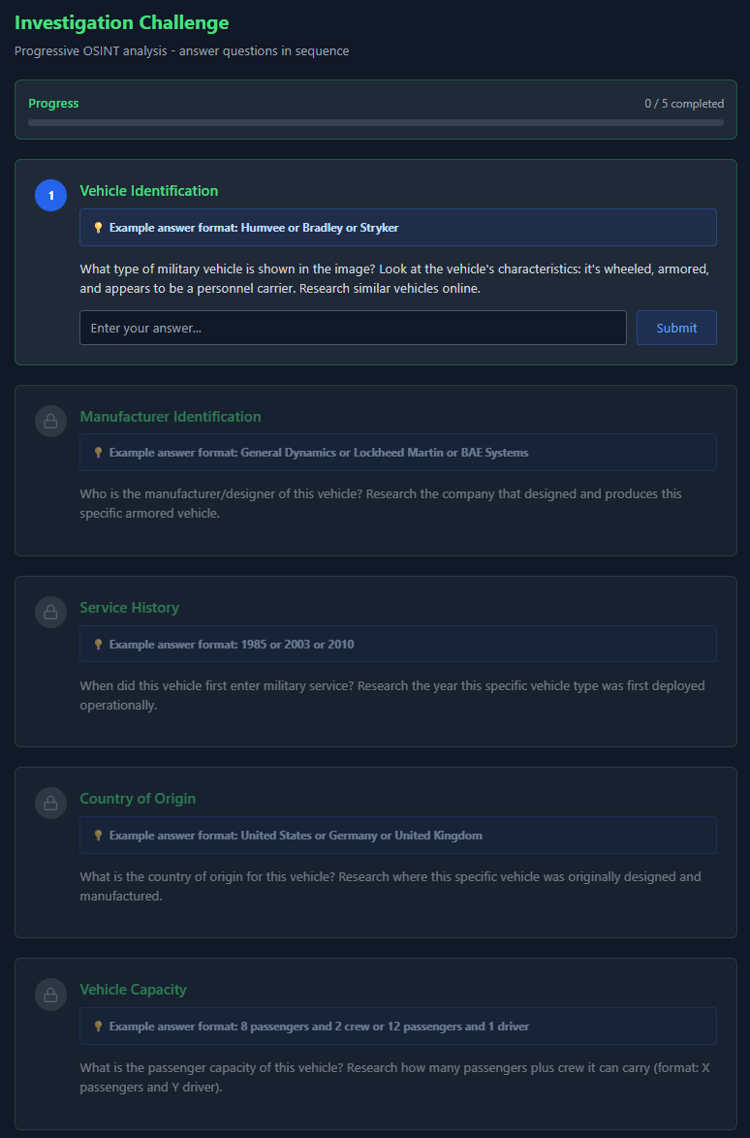
The Pupppet Master Challenge Page

Now that we’ve got the lay of the land, let’s tackle the questions.

Q1. What type of military vehicle is shown in the image? Look at the vehicle’s characteristics: it’s wheeled, armored, and appears to be a personnel carrier. Research similar vehicles online.

I went to tineye.com and uploaded the image. I purposely didn’t select any pages that looked like they were related to solving this challenge. I went to this blog: https://defense-studies.blogspot.com/2023/05/ and found an article mentioning that 18 Bushmaster PMVs were delivered to the New Zealand Army.

A1. Bushmaster

Q2. Who is the manufacturer/designer of this vehicle? Research the company that designed and produces this specific armored vehicle.

I googled it and was pointed to the Wikipedia article for it and got the answer https://en.wikipedia.org/wiki/Bushmaster_Protected_Mobility_Vehicle

A2. Thales Australia

Q3. When did this vehicle first enter military service? Research the year this specific vehicle type was first deployed operationally.

Same wikipedia page

A3.1997

Q4. What is the country of origin for this vehicle? Research where this specific vehicle was originally designed and manufactured.

Same page, though the name of the manufacturer is also a bit of a giveaway

A4. Australia

Q5. What is the passenger capacity of this vehicle? Research how many passengers plus crew it can carry (format: X passengers and Y driver).

Wikipedia page again.

A5. 9 passengers and 1 driver

After you finish that last question, you submit for final analysis and get the flag to submit back at the Hack the Box Challenge page. That’s it. Very Easy as the chaps promised. The biggest trick here was knowing how to use TinEye or Google Reverse Image Search and then to investigate from there.


The Puppetmaster Pwned

Capture the Flag

TryHackMe Room Walkthrough: OhSINT

What the starting image looks like for the roomToday’s room is called OhSINT. It is another Free Room on TryHackMe, which means that anyone can follow along with me as long as you sign up for a free account. The point of this room is to show you some of the very basics of OSINT (Open-Source Intelligence), which is the process of gathering and analyzing publicly available information to gain insights and intelligence on a subject or target.

Note: This room was updated 2/1/2024, so this walkthrough will probably be different from others if you’re Googling around and found someone who did it closer to release date. This is noted in the room itself.

In this one, we only have an image to go off of. Let’s start with the basics and read the metadata on the image.

$ exiftool WindowsXP_1551719014755.jpg
ExifTool Version Number         : 13.00
File Name                       : WindowsXP_1551719014755.jpg
Directory                       : .
File Size                       : 234 kB
File Modification Date/Time     : 2025:03:08 15:53:27-05:00
File Access Date/Time           : 2025:03:08 15:54:52-05:00
File Inode Change Date/Time     : 2025:03:08 15:54:52-05:00
File Permissions                : -rw-r--r--
File Type                       : JPEG
File Type Extension             : jpg
MIME Type                       : image/jpeg
XMP Toolkit                     : Image::ExifTool 11.27
GPS Latitude                    : 54 deg 17' 41.27" N
GPS Longitude                   : 2 deg 15' 1.33" W
Copyright                       : OWoodflint
Image Width                     : 1920
Image Height                    : 1080
Encoding Process                : Baseline DCT, Huffman coding
Bits Per Sample                 : 8
Color Components                : 3
Y Cb Cr Sub Sampling            : YCbCr4:2:0 (2 2)
Image Size                      : 1920x1080
Megapixels                      : 2.1
GPS Latitude Ref                : North
GPS Longitude Ref               : West
GPS Position                    : 54 deg 17' 41.27" N, 2 deg 15' 1.33" W

Question 1

Searching for the user that has the copyright, “OWoodflint”, I found this Twitter/X profile here.

What is this user’s avatar of?Cat

Question 2

In this person’s tweets, they have one that says:

From my house I can get free wifi ;D

Bssid: B4:5D:50:AA:86:41 - Go nuts!

BSSID is “Basic Service Set Identifier” and is a unique ID to identify a wifi access point.

If I search bssid lookup, the first result is WiGLE: Wireless Network Mapping at https://wigle.net. Okay, let’s check that out. I put the BSSID in the search on the right of the page and hit Filter and my map didn’t change (except all of the dots that had been on there are now gone). My guess was maybe this left *ONLY* that network on the map, so I zoomed all the way out and saw a dot in Europe. I zoomed in and it is in London. This could be me not knowing how to use the site, but it worked.

What city is this person in?London

Question 3

Same site, just get the info of that point.

What is the SSID of the WAP he connected to?UnileverWiFi

Question 4

Back to googling the username. The first result for me was https://github.com/OWoodfl1nt/ I know people associate their emails on GitHub sometimes, so I went into there. In the readme of his people_finder project, it says “Project starting soon! Email me if you want to help out: OWoodflint@gmail.com”

What is his personal email address?OWoodflint@gmail.com

Question 5

What site did you find his email address on?GitHub

Question 6

I didn’t see anything about a holiday/vacation on X/Twitter or GitHub, so back to the google search. It also returns his blog at https://oliverwoodflint.wordpress.com/ His first – and apparently only – post has the answer.

Where has he gone on holiday?New York

Question 7

I actually found this one multiple places on the internet because of this challenge, but not the intended places. So I’m going to work this as intended. From google, basically I just have these three sites: X/Twitter, GitHub, and his blog. Since this is an OSINT challenge, I don’t expect they want us to try to crack his wordpress site. So, in true CTF-style thinking, I went looking for clues in his blog’s HTML source. I scrolled down and found this:

<p style="color:#ffffff;" class="has-text-color">pennYDr0pper.!</p>

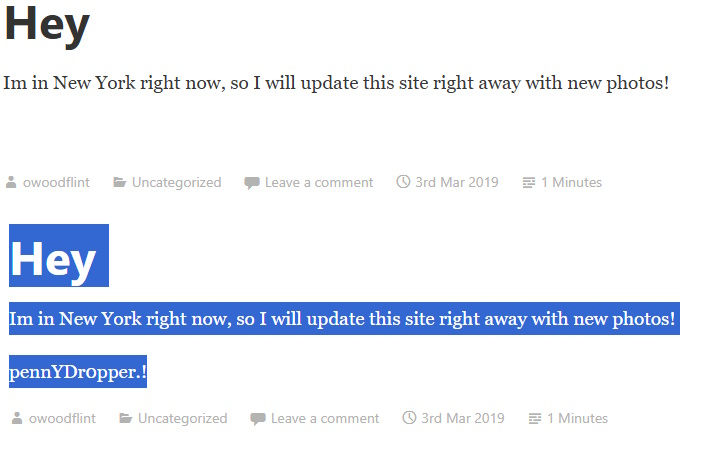
Given the HTML, that would mean that it is actually on his site visible except that the text is the same color as the background. And sure enough:

An image showing that the password is actually on the blog post screen all along

What is the person’s password?pennYDr0pper.!

That’s it. Just a fun little very introductory primer on using search engines and social profiles to do some very basic OSINT and show you the beginning of what’s possible. Any questions, let me know.