 Today, we’re going to tackle a Hack the Box Challenge called OpenSecret. Unlike the last few of these I’ve done, this is more of an offensive security challenge. Our challenge scenario is
A simple help desk portal where users can submit support tickets. The application uses JWT tokens for session management, but something seems off about how they’re implemented. Can you find the security flaw?
Task 1: Submit challenge Flag
After starting the challenge, you’ll be given a public IP to hit on a specific port, so no VPN access is required. For me, that IP:Port is 154.57.164.83:30250. Given the nature of the challenge (and that it is under the Category of “Web”), I know it will be a web application. Regardless, I did an nmap scan on just that port at that IP so I could know a little bit about it and it seems that this is a Node.js/Express application.
$ nmap -sCV -vv -p 30250 154.57.164.83
Starting Nmap 7.99 ( https://nmap.org ) at 2026-05-14 13:19 -0400
NSE: Loaded 158 scripts for scanning.
NSE: Script Pre-scanning.
NSE: Starting runlevel 1 (of 3) scan.
Initiating NSE at 13:19
Completed NSE at 13:19, 0.00s elapsed
NSE: Starting runlevel 2 (of 3) scan.
Initiating NSE at 13:19
Completed NSE at 13:19, 0.00s elapsed
NSE: Starting runlevel 3 (of 3) scan.
Initiating NSE at 13:19
Completed NSE at 13:19, 0.00s elapsed
Initiating Ping Scan at 13:19
Scanning 154.57.164.83 [4 ports]
Completed Ping Scan at 13:19, 0.02s elapsed (1 total hosts)
Initiating Parallel DNS resolution of 1 host. at 13:19
Completed Parallel DNS resolution of 1 host. at 13:19, 0.49s elapsed
Initiating SYN Stealth Scan at 13:19
Scanning 154-57-164-83.static.isp.htb.systems (154.57.164.83) [1 port]
Discovered open port 30250/tcp on 154.57.164.83
Discovered open port 30250/tcp on 154.57.164.83
Completed SYN Stealth Scan at 13:19, 0.24s elapsed (1 total ports)
Initiating Service scan at 13:19
Scanning 1 service on 154-57-164-83.static.isp.htb.systems (154.57.164.83)
Completed Service scan at 13:19, 11.45s elapsed (1 service on 1 host)
NSE: Script scanning 154.57.164.83.
NSE: Starting runlevel 1 (of 3) scan.
Initiating NSE at 13:19
Completed NSE at 13:19, 5.13s elapsed
NSE: Starting runlevel 2 (of 3) scan.
Initiating NSE at 13:19
Completed NSE at 13:19, 0.75s elapsed
NSE: Starting runlevel 3 (of 3) scan.
Initiating NSE at 13:19
Completed NSE at 13:19, 0.00s elapsed
Nmap scan report for 154-57-164-83.static.isp.htb.systems (154.57.164.83)
Host is up, received reset ttl 128 (0.028s latency).
Scanned at 2026-05-14 13:19:09 EDT for 17s

PORT      STATE SERVICE REASON          VERSION
30250/tcp open  http    syn-ack ttl 128 Node.js (Express middleware)
| http-methods:
|_  Supported Methods: GET HEAD POST OPTIONS
|_http-title: OpenSecret Helpdesk - Support Portal

NSE: Script Post-scanning.
NSE: Starting runlevel 1 (of 3) scan.
Initiating NSE at 13:19
Completed NSE at 13:19, 0.00s elapsed
NSE: Starting runlevel 2 (of 3) scan.
Initiating NSE at 13:19
Completed NSE at 13:19, 0.00s elapsed
NSE: Starting runlevel 3 (of 3) scan.
Initiating NSE at 13:19
Completed NSE at 13:19, 0.00s elapsed
Read data files from: /usr/share/nmap
Service detection performed. Please report any incorrect results at https://nmap.org/submit/ .
Nmap done: 1 IP address (1 host up) scanned in 18.39 seconds
           Raw packets sent: 6 (240B) | Rcvd: 3 (128B)
Navigating to the site, we see this
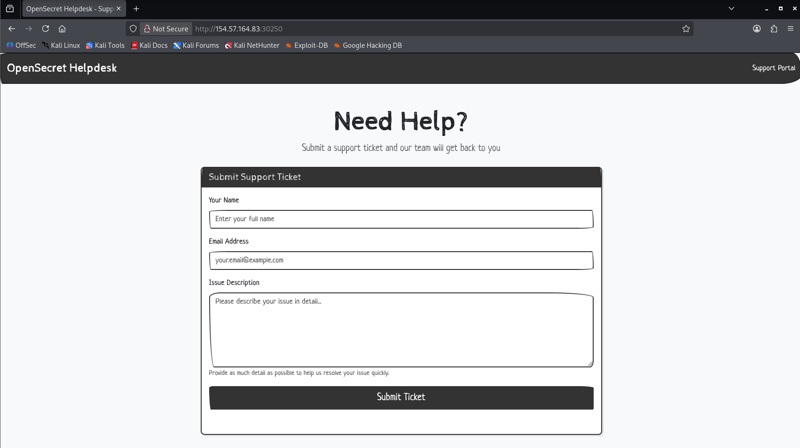
Given the description, I checked to see if there are any JWTs in storage already in the browser. I checked Cache Storage, Cookies, Indexed DB, Local Storage, and Session Storage, but nothing is there yet. Okay, I don’t see any other links, so I submitted the form with a name, email, and some pretend issue description words. Nothing fancy, no XSS attempts, etc. When I do, it tells me that no session token is provided.
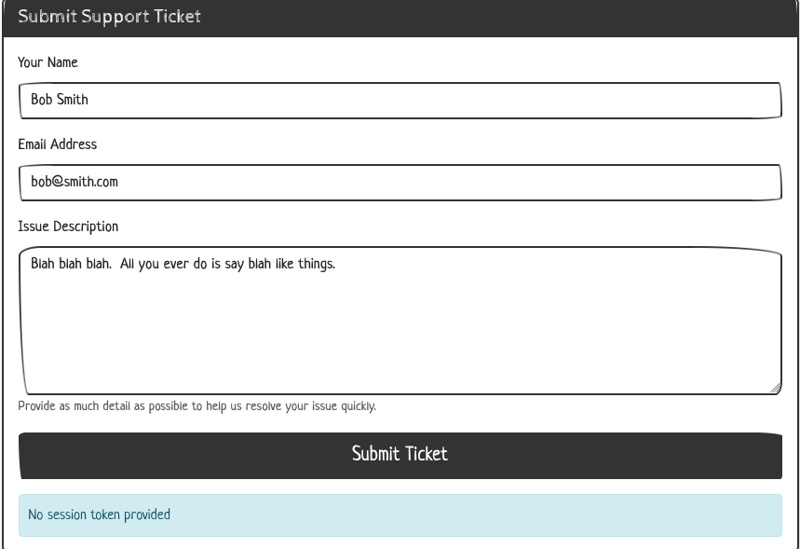
Looking at the network call there, I just see this payload and these headers. No Cookies sent, and I don’t see an Auth Header.
{"name":"Bob Smith","description":"Blah blah blah. All you ever do is say blah like things."}
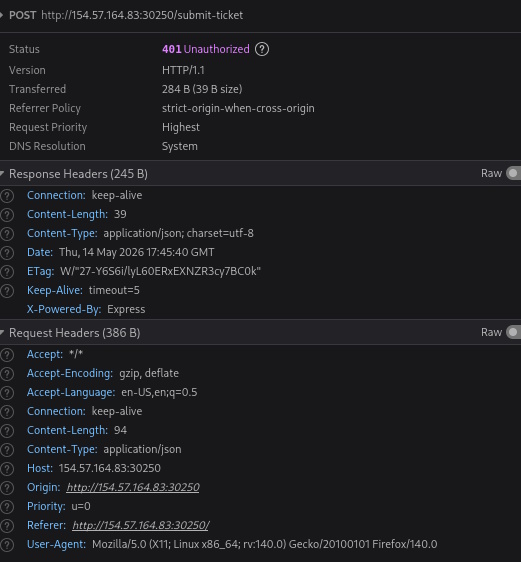
Here is the response.
{"message":"No session token provided"}
So I need to see how this is being packaged up, so I take a look at the HTML source and … well, I guess the challenge is over. There is nothing really interesting in the HTML source until you get to the script tag at the end.
 <script>
    // JWT Secret Key
    const SECRET_KEY = "HTB{0p3n_s3cr3ts_ar3_n0t_s3cr3ts}";

    // Helper function to convert string to Base64URL
    function base64url(str) {
        return btoa(str)
            .replace(/\+/g, "-")
            .replace(/\//g, "_")
            .replace(/=/g, "");
    }

    // Generate a JWT session token for the user
    async function generateJWT() {
        // Check if user already has a token
        const existingToken = document.cookie
            .split("; ")
            .find((row) => row.startsWith("session_token="));

        if (existingToken) {
            console.log("Session token already exists");
            return;
        }

        // Create a random guest username
        const username = "guest_" + Math.floor(Math.random() * 10000);

        // JWT Header
        const header = { alg: "HS256", typ: "JWT" };

        // JWT Payload
        const payload = { username: username };

        // Encode header and payload
        const encodedHeader = base64url(JSON.stringify(header));
        const encodedPayload = base64url(JSON.stringify(payload));
        const data = encodedHeader + "." + encodedPayload;

        // Sign with SECRET_KEY using HMAC-SHA256
        const key = await crypto.subtle.importKey(
            "raw",
            new TextEncoder().encode(SECRET_KEY),
            { name: "HMAC", hash: "SHA-256" },
            false,
            ["sign"]
        );

        const signature = await crypto.subtle.sign(
            "HMAC",
            key,
            new TextEncoder().encode(data)
        );

        // Encode signature
        const encodedSignature = base64url(
            String.fromCharCode(...new Uint8Array(signature))
        );

        // Complete JWT token
        const token = data + "." + encodedSignature;

        // Store token in cookie
        document.cookie = `session_token=${token}; path=/; max-age=86400`;

        console.log("Generated session for:", username);
    }

    // Generate JWT token on page load
    generateJWT();

    // Handle ticket submission
    document
        .getElementById("submit-btn")
        .addEventListener("click", async (event) => {
            event.preventDefault();

            const name = document.getElementById("ticket-name").value;
            const description =
                document.getElementById("ticket-desc").value;

            const response = await fetch("/submit-ticket", {
                method: "POST",
                headers: {
                    "Content-Type": "application/json",
                },
                body: JSON.stringify({ name, description }),
            });

            const result = await response.json();
            document.getElementById("message-display").textContent =
                result.message || "Ticket submitted successfully!";
        });
</script>
Task 1 Answer: HTB{0p3n_s3cr3ts_ar3_n0t_s3cr3ts}
That’s all there was to it. We don’t actually have to use that code and that “key” to impersonate anyone, this was just an easy example of the dangers of storing secrets openly (OHHHH, the room name makes so much sense now 😉 )
If you have any questions, let me know!
